
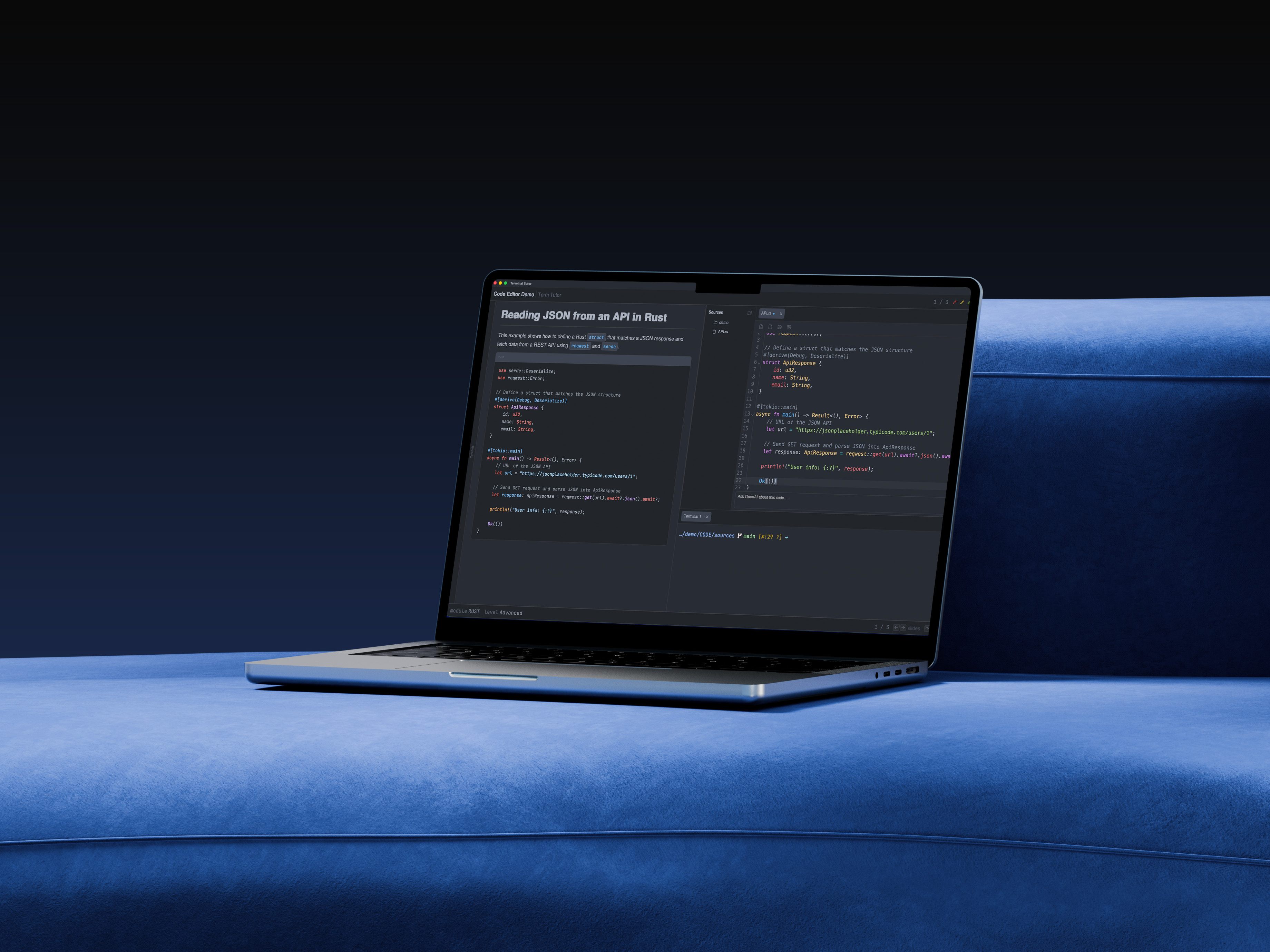

What is Terminal Tutor
Terminal Tutor is a teaching workspace for software engineering curricula. It keeps curriculum content, runnable terminals, code editing, and optional database/regex tooling in one unified window so instructors can present and execute without constantly rearranging windows.
Highlights
- Dual‑pane, resizable layout with configurable left/right panes.
- Markdown curriculum rendering with headings, code blocks, images, and Docusaurus‑style admonitions.
- Built‑in terminal with multiple tabs.
- Code editor with tabs, file tree, save/new, and browser preview toggle.
- SQL and Regex workbenches with history and OpenAI helpers.
- Management screen to edit history and generate curriculum files.
The Curriculum
Presentation Viewer
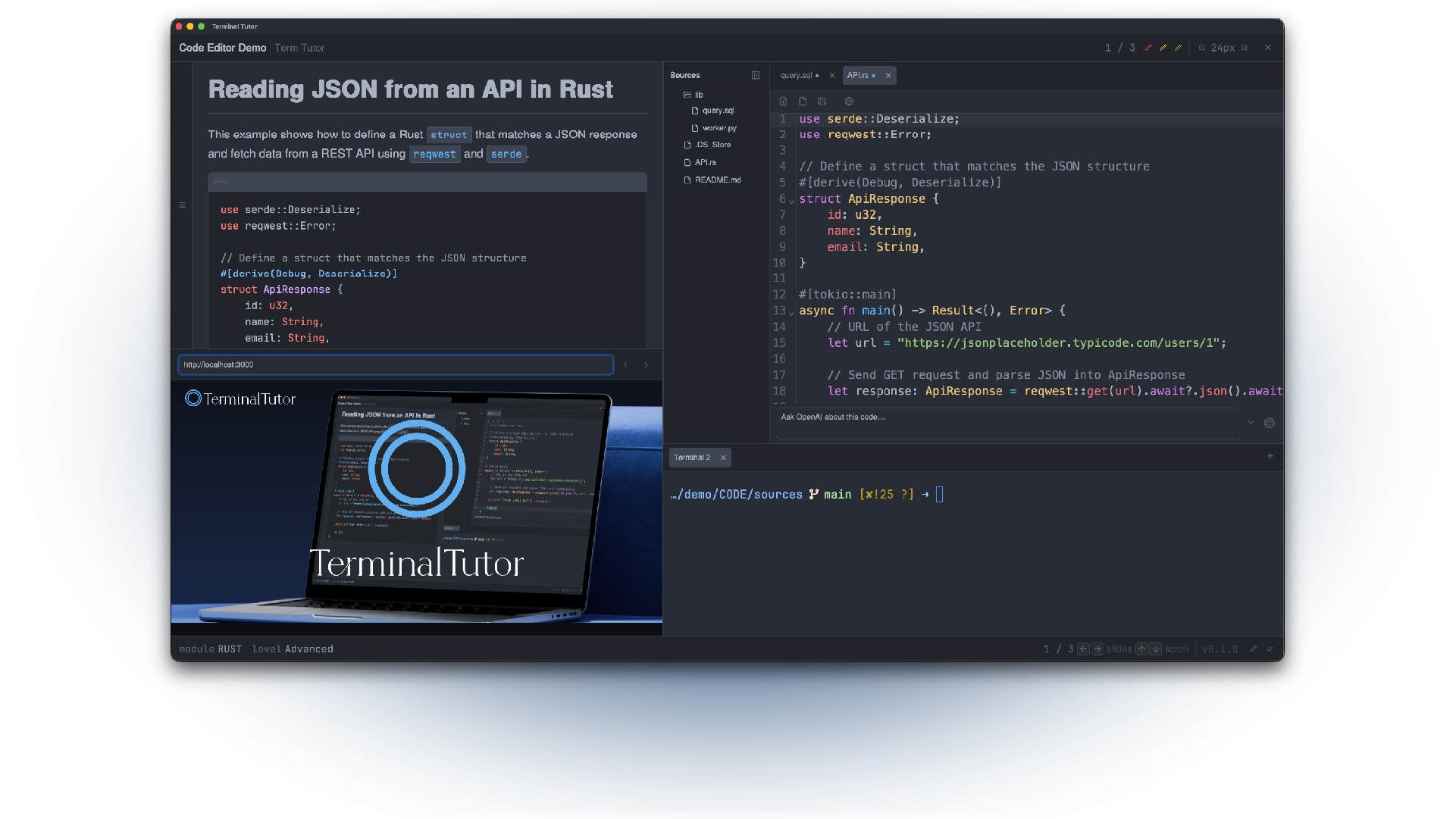
Displays lesson content with Markdown rendering, Docusaurus-style callouts, Mermaid diagrams, and a floating contents slider so you can jump between sections without leaving the screen.
PDF & Image Support
Drop in PDF slides or image assets alongside Markdown; the viewer scales them to fit the pane, honors transparent backgrounds, and lets you toggle between presentation content and visual references without disrupting the layout.
Get your copy!
Get your copy now! One time fee of € 650,- or you can get the full source code for € 1500,-
Once you buy a copy, you get a free online training on how to use the app. Runs on Windows, MacOS and Linux.
Press the "Contact Us" button here, and I get in touch on how obtain the binary. And we can shedule an appointment for your training.
The Code Pane
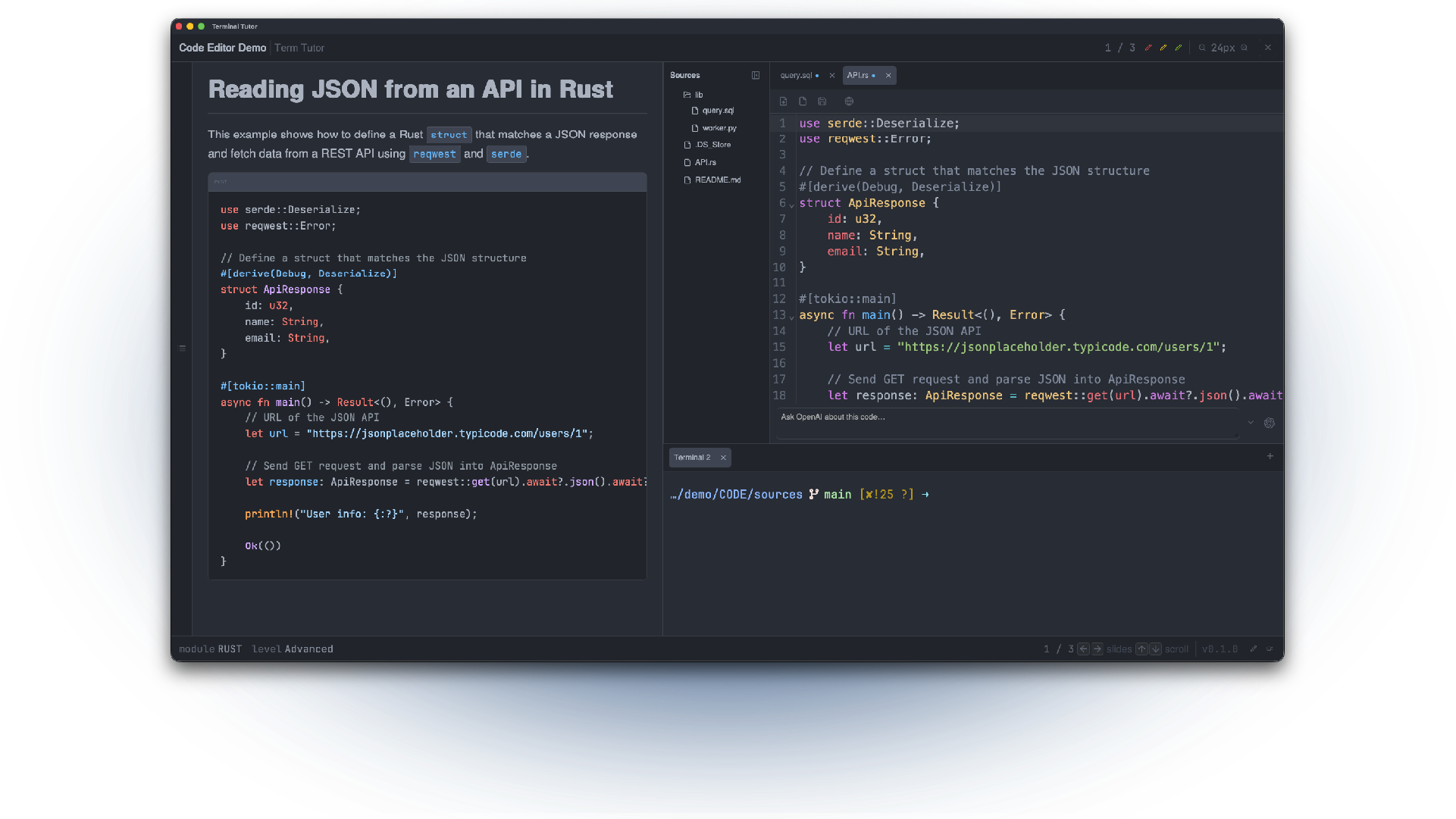
A lightweight multitab editor with zoom-aware font sizing, file tree navigation, and instant save dialog support. It mirrors real editor habits (⌘S, copy/paste, hiding paels) while staying tightly integrated with the surrounding tutorial interface.
The SQL Pane
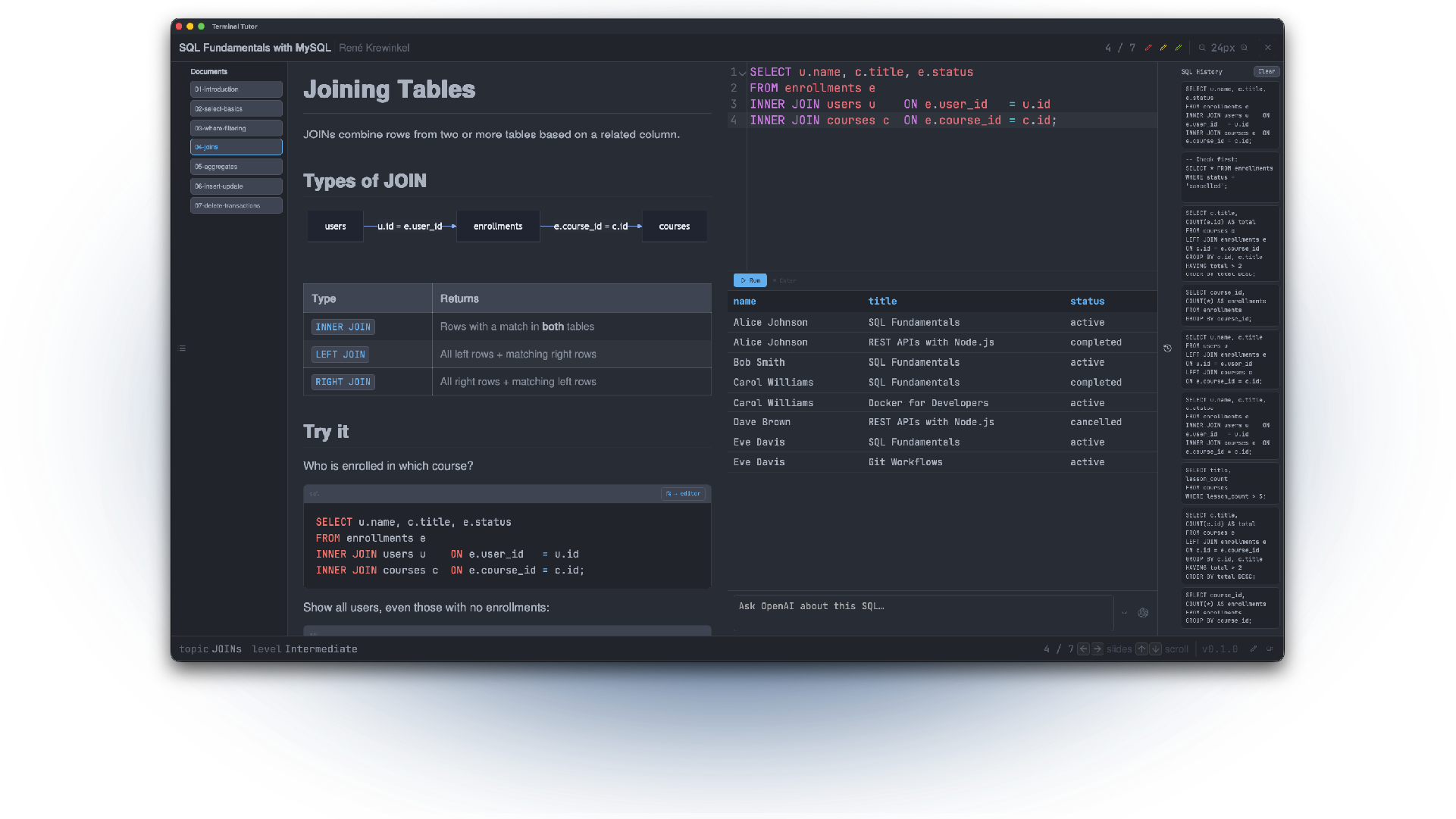
An interactive SQL workspace where lessons live next to a real query editor. Follow curated docs, run queries against your own database (for now only MySQL and SQLite are supported), and see results instantly with table history and OpenAI-assisted insights.
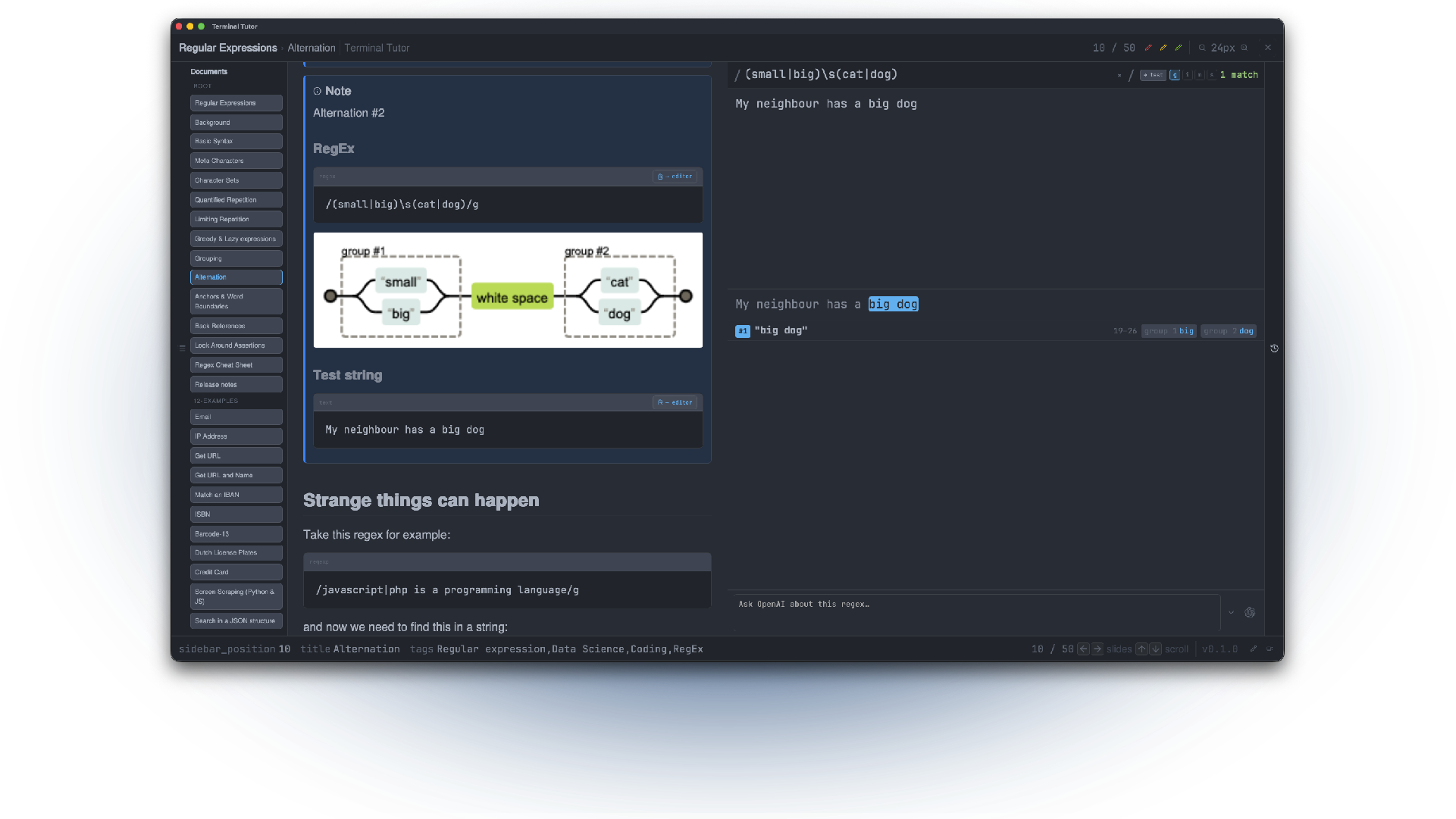
The RegEx Pane
Experiment with regular expressions using synchronized pattern, test-input, and history panes. Copy-ready helpers populate the editor, mode flags stay in sync, and AI- assisted guidance explains tricky cases or produces example matches.
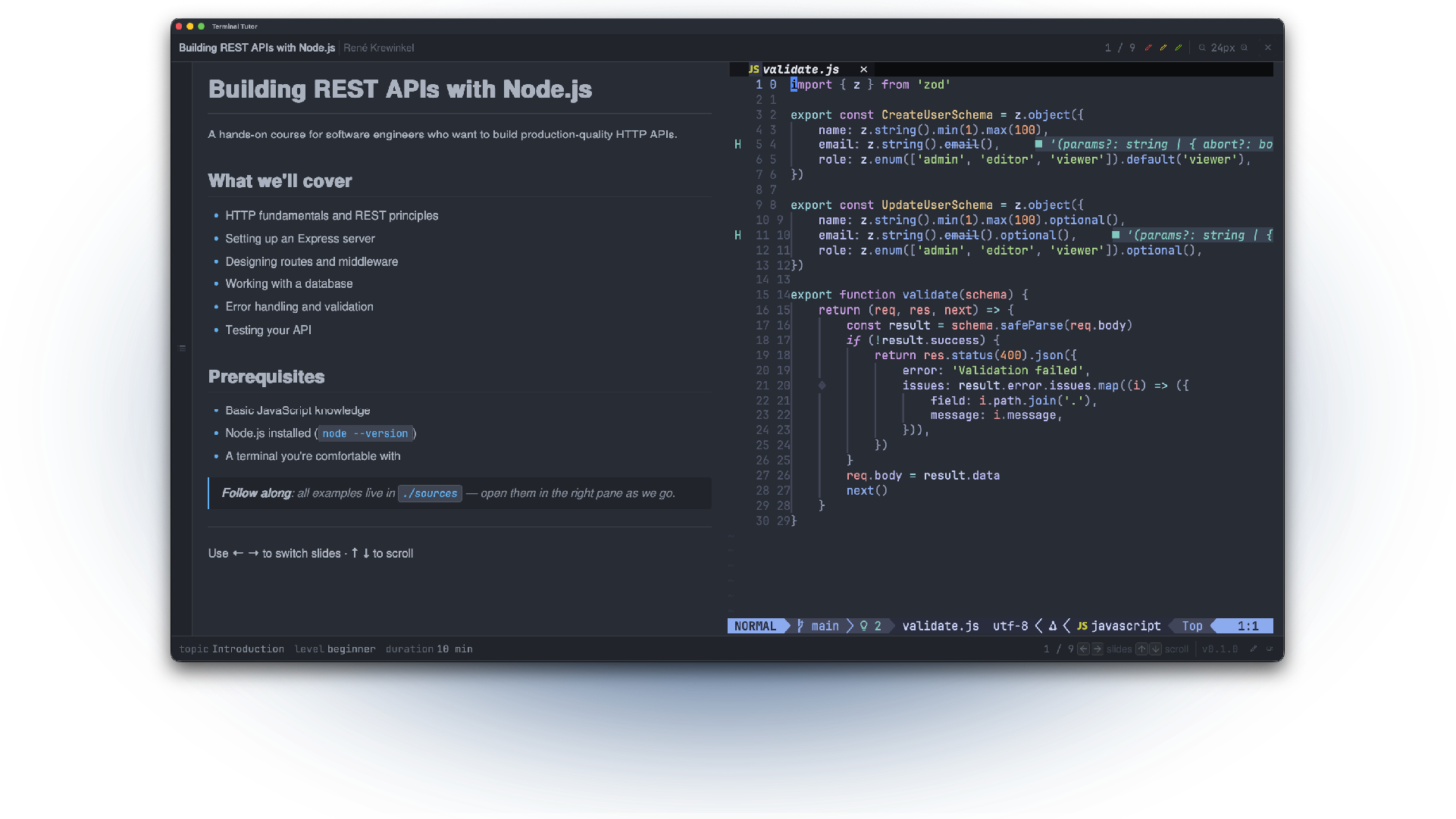
Terminal Pane
Persistent terminal full login sessions - so all your CLI tools are available - run in their separte pane and the terminal only starts once the rest of the app is ready so you land in a stable, responsive shell environment.
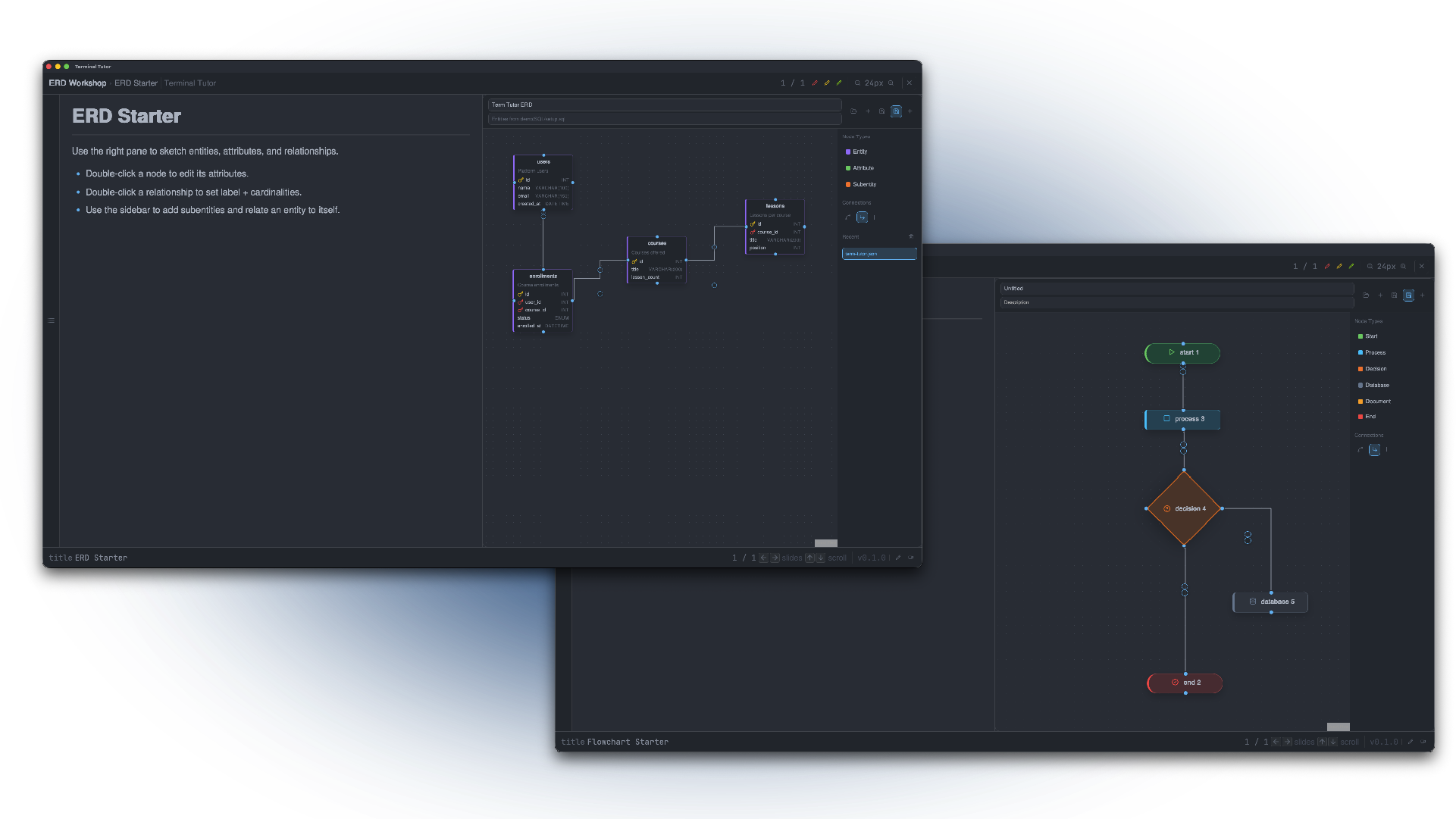
ERD and Flowcharts
Need an ERD or a Flowchart, use the corresponding panes.
Save and edit the charts for future use.
A Built-in browser
Teaching web development? Tucked under the code editor, the browser pane opens on demand via the “Show Browser” icon, sits below the presentation and PDF/image panes, and can be resized vertically. It starts hidden, expands to half the screen when opened, and keeps your coding and browsing context tightly coupled inside the same workspace.
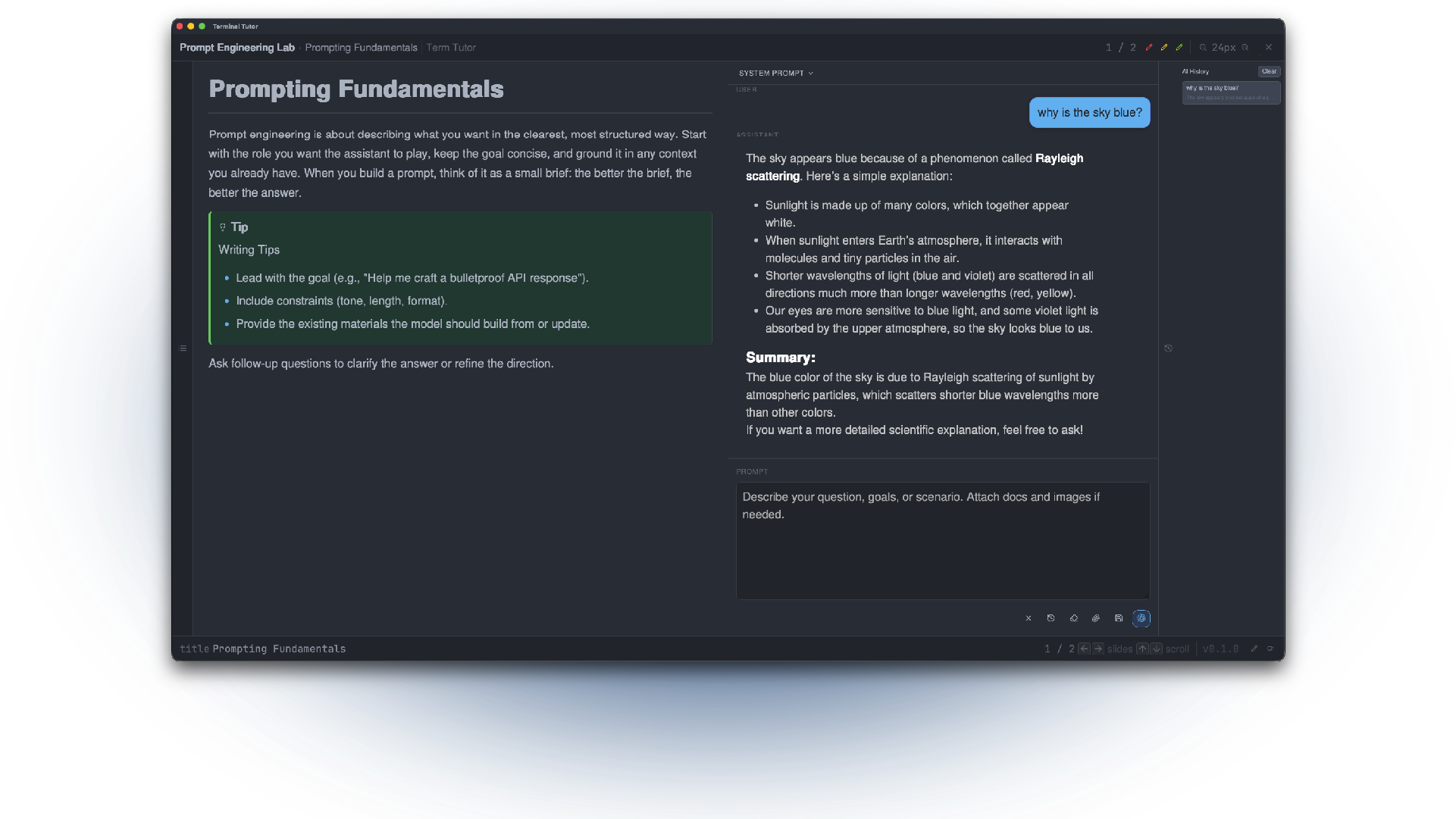
AI Chatbot
Teaching prompt engineering or using AI Chatbot. We got you covered. Fully functional Chatbot pane. History aware and upload files and images.
Currently only supports OpenAI, but more to come!
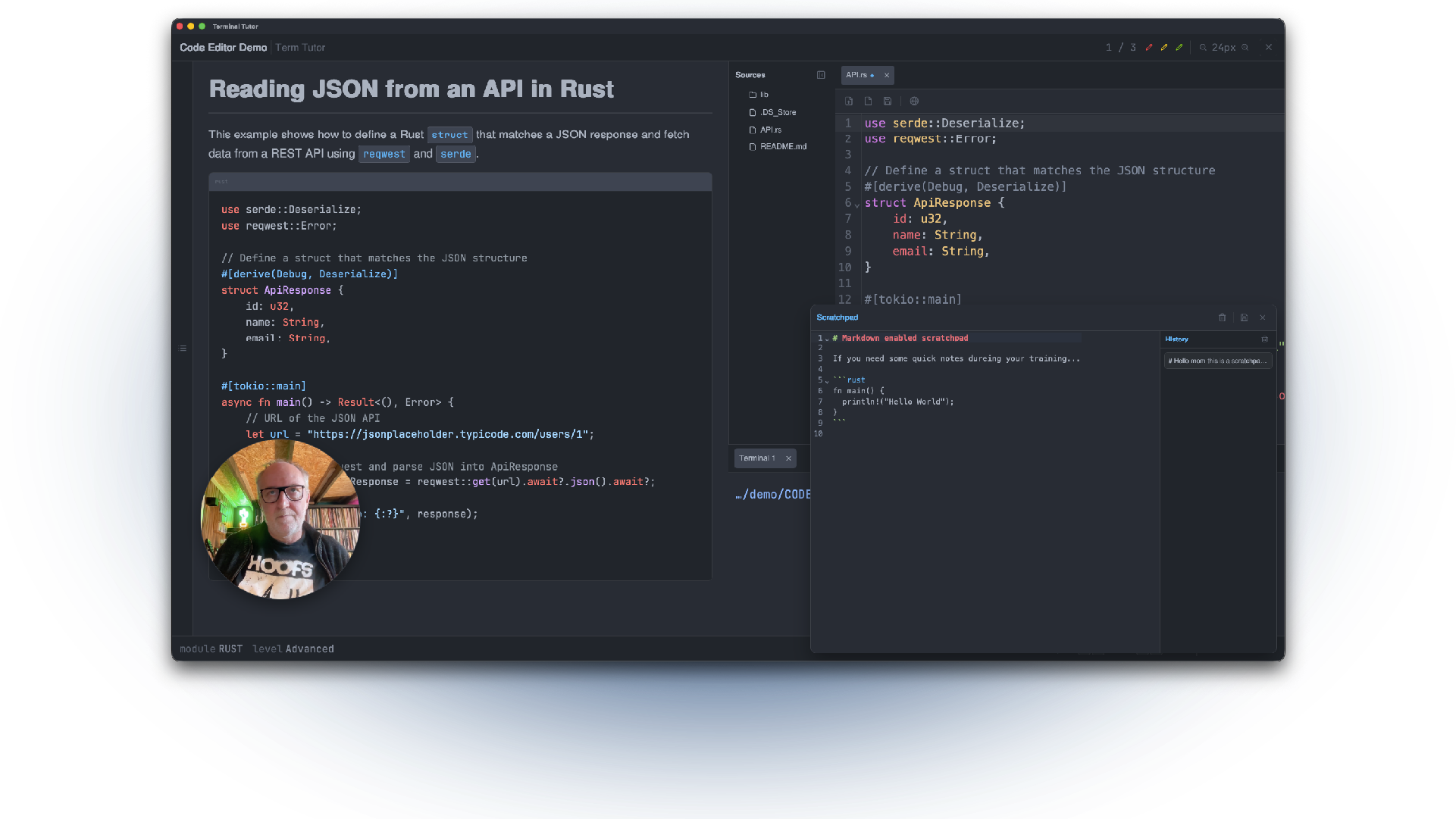
Scratch 'n Cam...
Need to write a quick note? Just open the markdown enabled scratchpad (keeps a history) and quickly save the file for later use.
Teaching online? No problem, the build in webcam feature makes it personal!
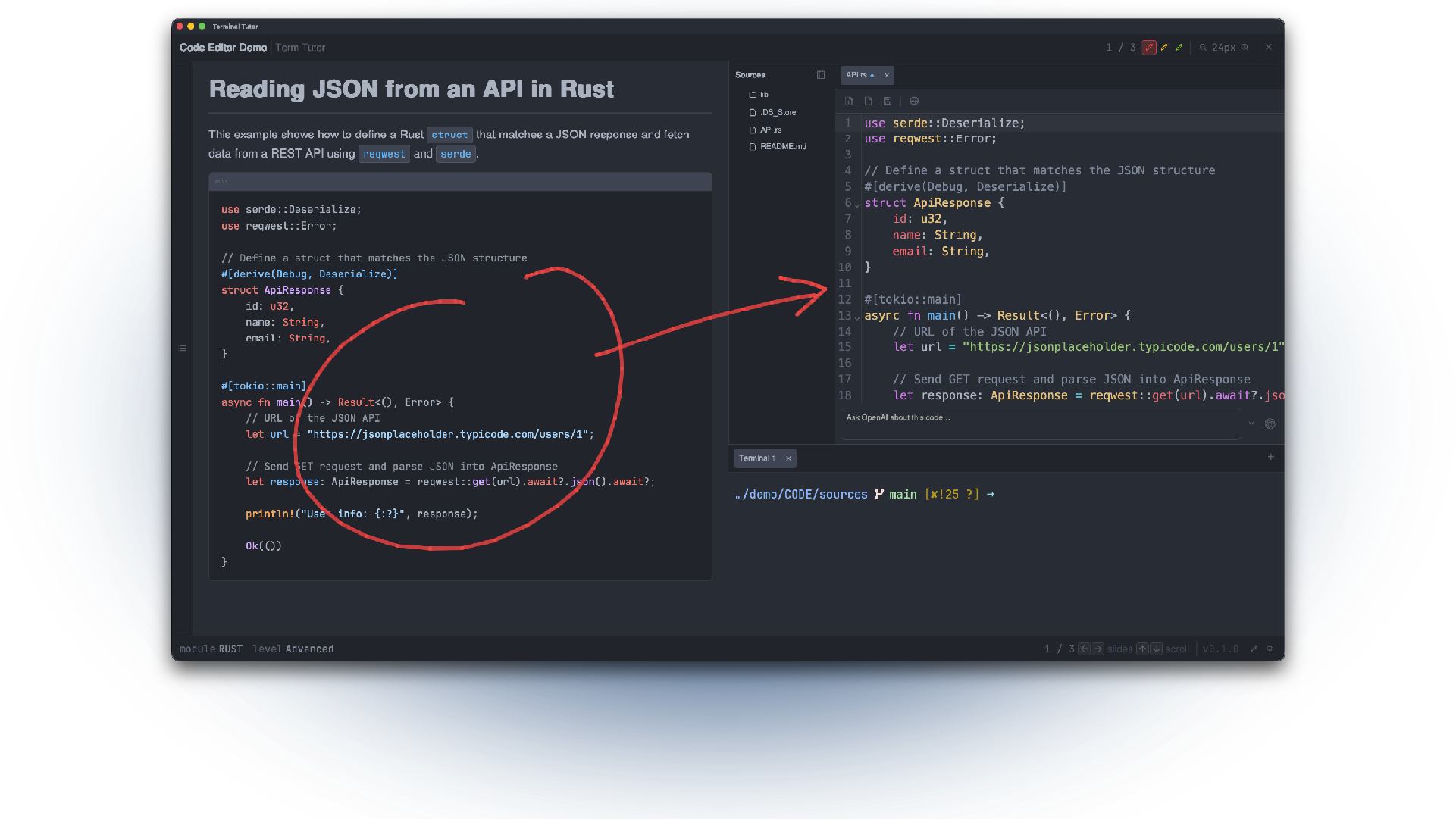
Draw on screen
Terminal Tutor lets you draw on the screen (in three colors) so you can highlight important parts of your training.
%20--%3e%3csvg%20version='1.0'%20id='Layer_1'%20xmlns='http://www.w3.org/2000/svg'%20x='0px'%20y='0px'%20viewBox='0%200%20500%20100'%20style='enable-background:new%200%200%20500%20100;'%20xml:space='preserve'%3e%3cstyle%20type='text/css'%3e%20.st0{fill:%23FFFFFF;}%20%3c/style%3e%3cg%3e%3cg%3e%3cpath%20class='st0'%20d='M28.43,51.97h66.02v7.62H28.43V51.97z'/%3e%3cpath%20class='st0'%20d='M109.97,56.91l19.12,17.44V75h-10.98l-9.75-8.79V75h-8.08V27.2h8.08v21.06l8.85-7.24h11.5v0.65L109.97,56.91z%20'/%3e%3cpath%20class='st0'%20d='M131.67,41.02h8.07v2.33c0.9-1.1,2.78-2.33,7.17-2.33h4.97v7.75h-4.97c-4.65,0-7.17,2.52-7.17,7.43V75h-8.07%20V41.02z'/%3e%3c/g%3e%3cg%3e%3cpath%20class='st0'%20d='M276.78,51.97h66.02v7.62h-66.02V51.97z'/%3e%3cpath%20class='st0'%20d='M368.59,40.44h8.07v22.09c0,7.56-5.36,12.47-14.34,12.47s-14.34-4.91-14.34-12.47V40.44h8.07v21.19%20c0,4.26,2.52,5.94,6.27,5.94s6.27-1.68,6.27-5.94V40.44z'/%3e%3cpath%20class='st0'%20d='M390.94,56.91l-11.05-16.47H389l6.52,9.69l6.46-9.69h9.11l-11.05,16.47l11.69,17.51h-8.98l-7.24-10.79%20l-7.3,10.79h-8.98L390.94,56.91z'/%3e%3cpath%20class='st0'%20d='M414.97,65.18h8.79v9.24h-8.79V65.18z'/%3e%3cpath%20class='st0'%20d='M450.18,40.44h8.08v22.09c0,7.56-5.36,12.47-14.34,12.47s-14.34-4.91-14.34-12.47V40.44h8.07v21.19%20c0,4.26,2.52,5.94,6.27,5.94c3.75,0,6.27-1.68,6.27-5.94V40.44z'/%3e%3cpath%20class='st0'%20d='M463.43,25h8.14v8.91h-8.14V25z%20M463.49,40.44h8.07v33.98h-8.07V40.44z'/%3e%3c/g%3e%3c/g%3e%3c/svg%3e)